TABLE OF CONTENTS
Filters can be applied to narrow down large sets of data by focusing on specific criteria such as Legal Status, Publication Country, or Assignee name.
Steps to Apply Filters
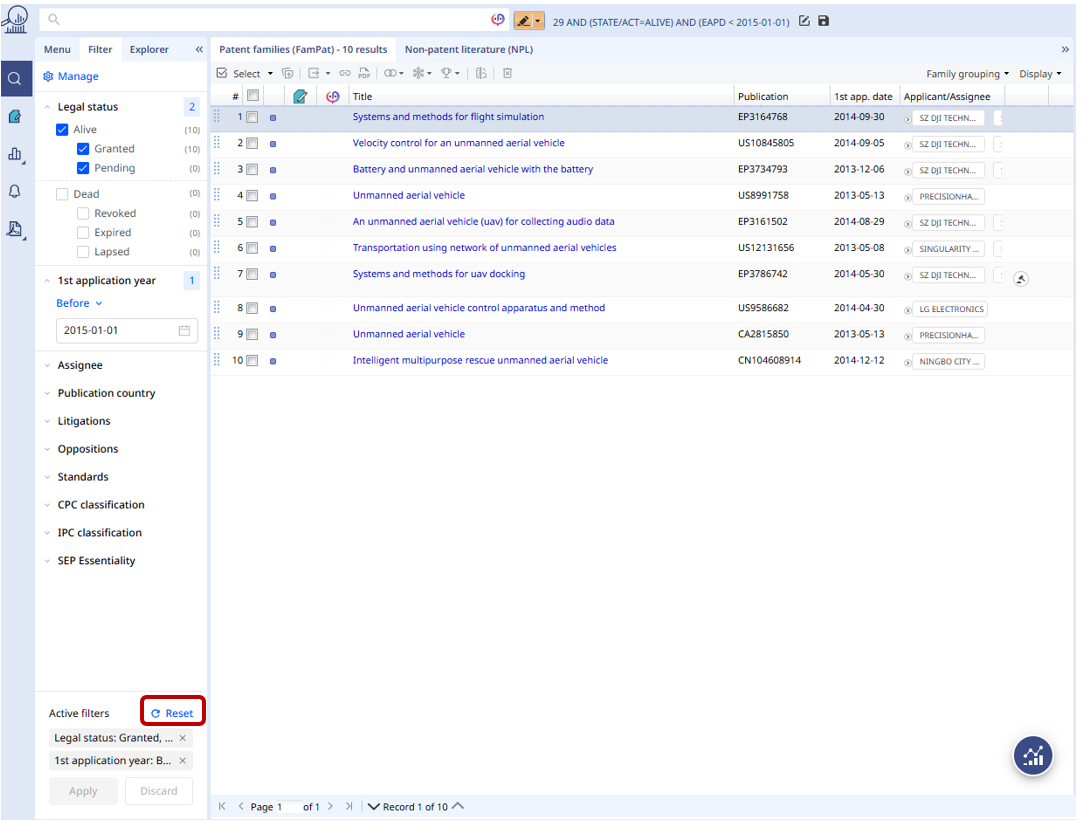
- To access or select filters, go to the Results View and choose the Filter tab from the left panel.
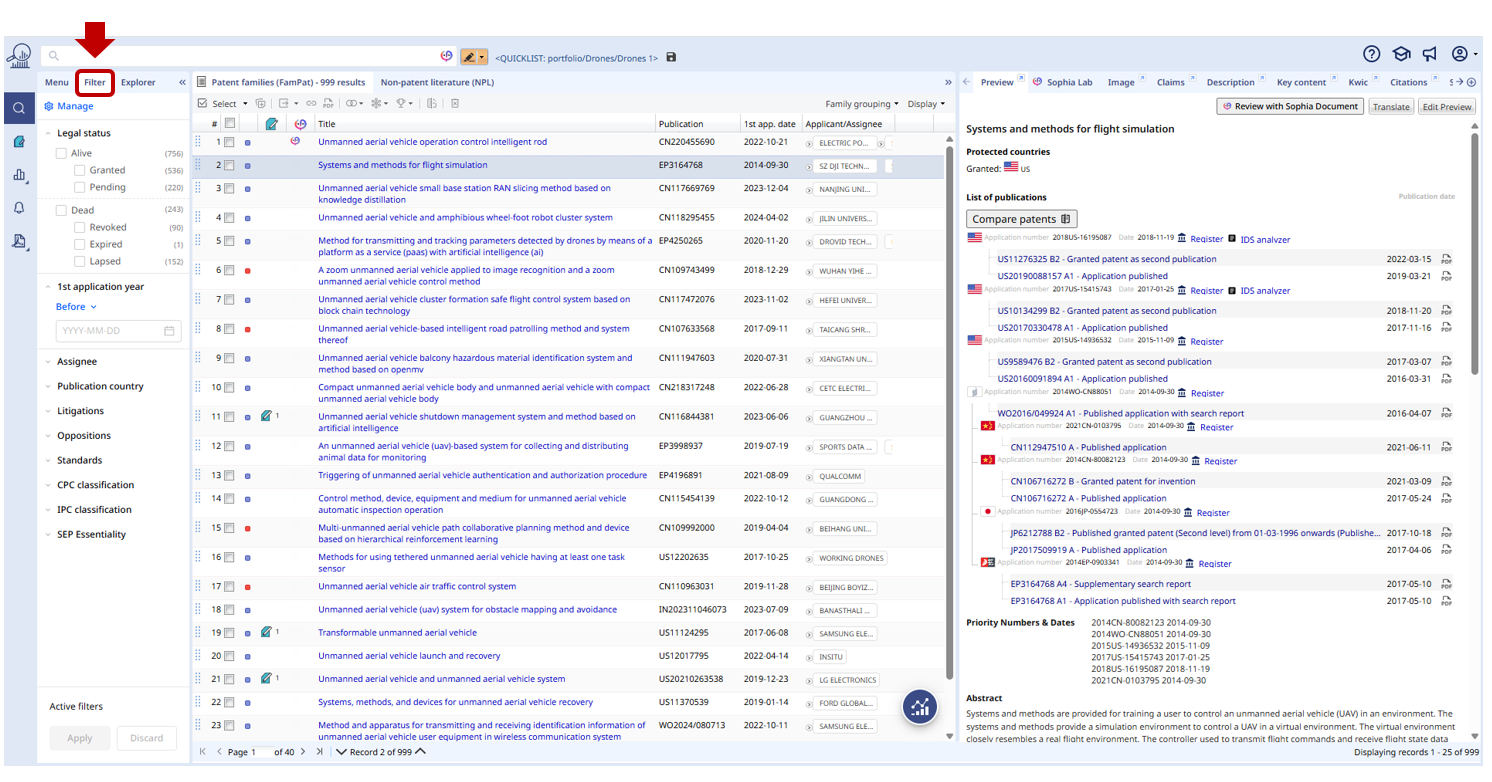
- Choose a filter (e.g., Legal Status) and then select a category (e.g., Granted).
The top two filters are always open by default.
You can combine multiple filters if needed for more precise results, such as selecting Pending and Granted patents and patent families within the last 10 years.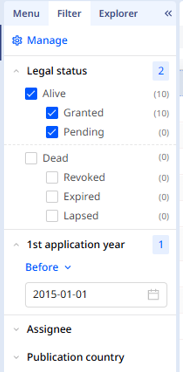
- Once you have made your selections, click Apply to update the results or Discard to cancel.
All Active filters are displayed at the bottom of the filters panel.
The number of active filters is visible on the Apply button.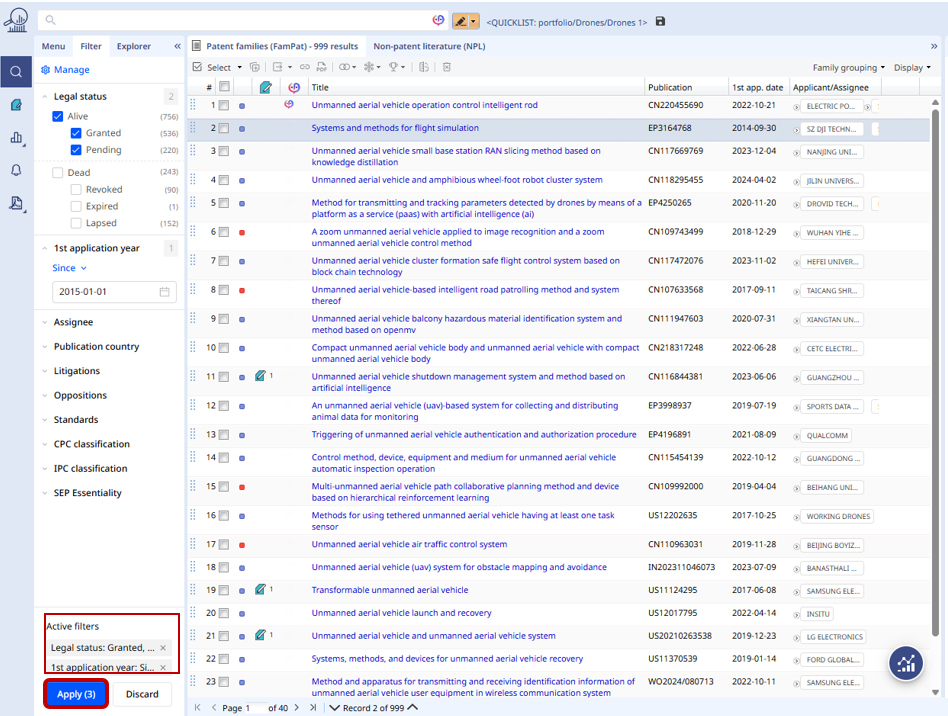
- To manage your filters, click the gear icon (Manage) at the top right of the panel. From there, you can organize filters, review available, and activate or deactivate them as needed.
Click on Apply to save your settings.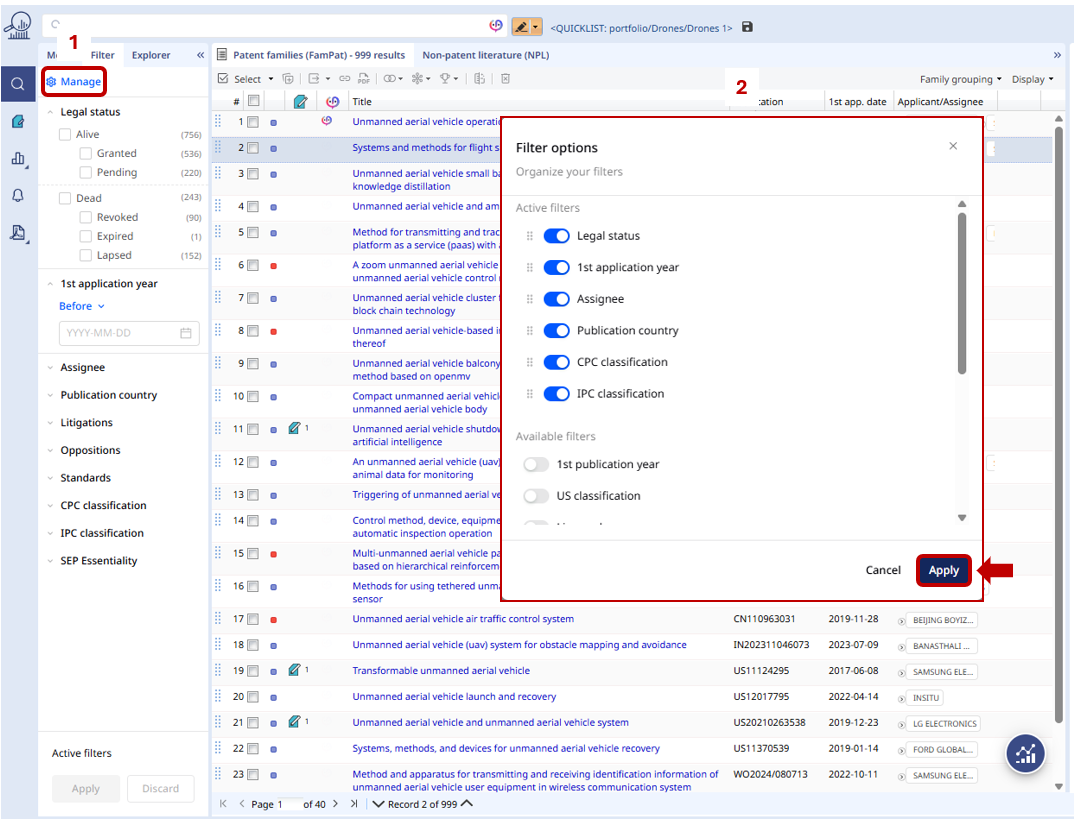
- To reset all applied filters, click on the Reset button.
- The query corresponding to the applied filters can be accessed in the Search history section. This allows you to review or reuse previous searches easily.

Q&A, limits and considerations
NPL: The Non-Patent Literature (NPL) database does not currently support the same filter options. An update is planned.
Classification: Only sub-group listing is available when filters are applied. Exact codes and hyperlinks are scheduled for a future enhancement.
Q: Do I need a special license to use the multi-selection feature?
A: No. This feature is available to all users with Essential, Advanced, or Premium licenses.
Q: Is filter selection and multi-selection limited to the Family view?
A: Filter selection and multi-selection are available across all three databases: FAMPAT, FULLPAT, and FULLTEXT.
Was this article helpful?
That’s Great!
Thank you for your feedback
Sorry! We couldn't be helpful
Thank you for your feedback
Feedback sent
We appreciate your effort and will try to fix the article