Introduction
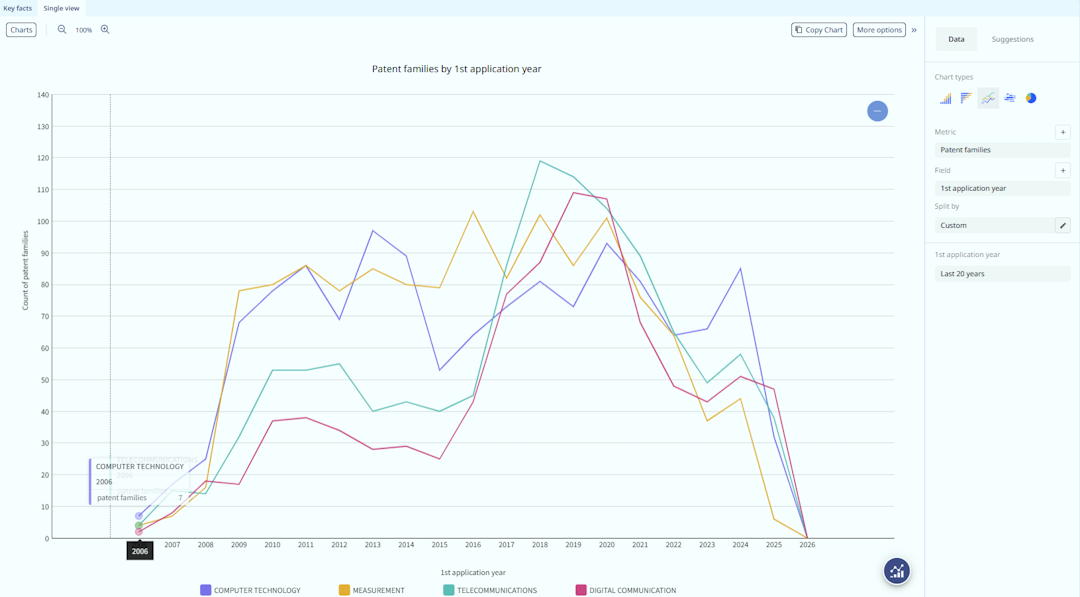
Visualising patent filing trends, evaluating markets, or comparing competitor portfolios often requires plotting multiple variables simultaneously. Within the Orbit Intelligence Analysis module, there is one native method to generate a multiple line chart directly.
This article intends to describe the customisation required to produce a line chart with several lines at the time. This will require to use a Premium or Advanced level account.
The method
To construct a multiple line chart directly within the platform, you must leverage the split by feature.
- Start by generating a single field chart within the Analysis module, such as an Investment Trend showing the evolution of patent applications over time (1st application year, one axis).
- From the right-hand pane, click on "None" under the section Split By
- From the Split By wizard window, you can select on left the type of data (for instance Standardized Assignee or Technology Domains), then for each line you must pick up a value (such as an assignee name or a domain)
- Up to 9 values could be selected and for each, a different colour
Here an example of a custom split by
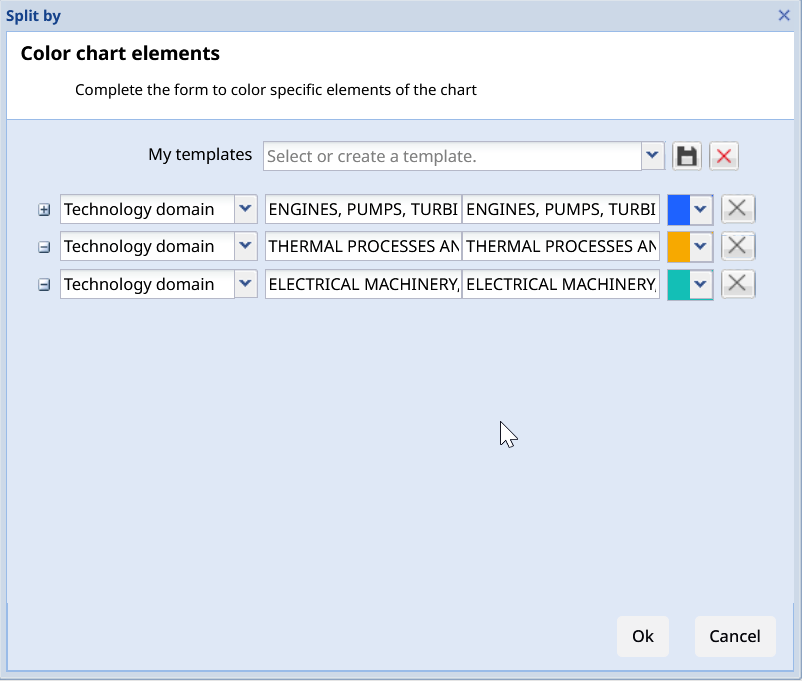
Tip: you can save this customisation, to reuse it later. Give a name to this template and click onto the Disk icon.
Was this article helpful?
That’s Great!
Thank you for your feedback
Sorry! We couldn't be helpful
Thank you for your feedback
Feedback sent
We appreciate your effort and will try to fix the article