TABLE OF CONTENTS
- Introducing Sophia Document - Multi-Documents
- Getting started with Multi-Documents
- Special considerations and features in Multi-documents
Introducing Sophia Document - Multi-Documents
Sophia Multi-Document extends the Sophia Document experience to support chat-based review across multiple patent families. It helps you compare, summarize, and extract key information from related documents in one place, using the same interactive prompt and AI-assisted in-depth analysis you already know from Sophia Document.
Two typical use cases are addressed here :
Global corpus understanding: Identify trends, commonalities, gaps, or divergences across a set of documents.
Document-by-document analysis: Review a batch of documents from an alert, or make a first refinement funnel after your most relevant patent families identified.
As Sophia multi-documents works with the representative member of each family, please consult our dedicated article and modify your settings according to your needs.
Your prompt library is also there, allowing to ask the same question to 20,50 or 100 patent families, fulltext or on claims only.
Reminders about:
- Credits are shared between Sophia Document and Multi-documents. There is only one credit allowance.
- Expert model and Fast model use the same credits, but in quite different proportions.
- Credits are granted for one month, Unused credits do not roll over to the next month.
Getting started with Multi-Documents
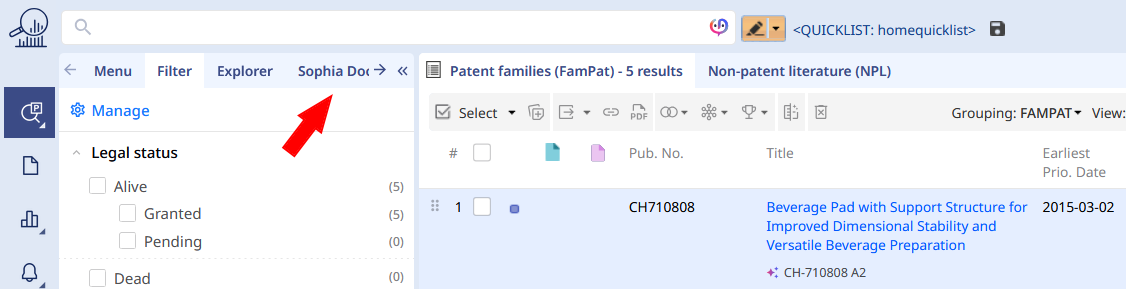
Once on the result hitlist after a Fampat search, please locate within left-hand pane, the tab Sophia Document (right next to explorer)
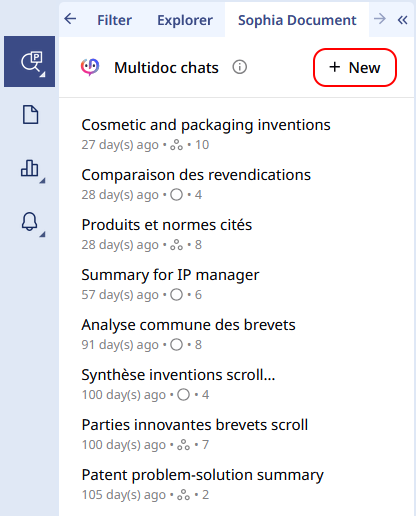
The Sophia Document tab will display the latest multi-docs discussion created (Home page), and at the top please click on "+New" button to start a brand new chat:
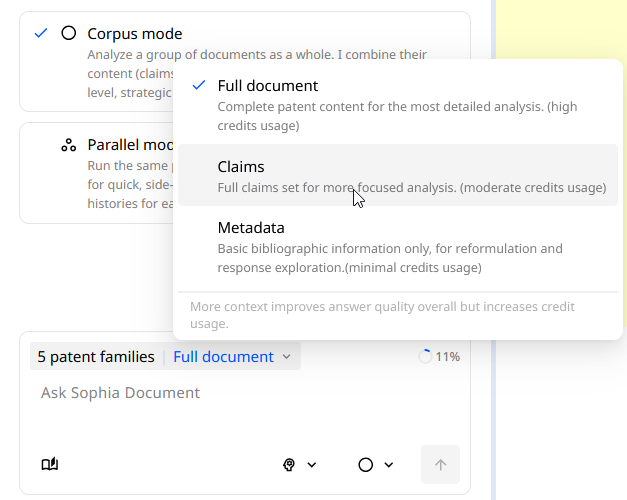
Before starting the chat, Sophia Document is asking you if you want to run a Corpus mode discussion, or Parallel mode:
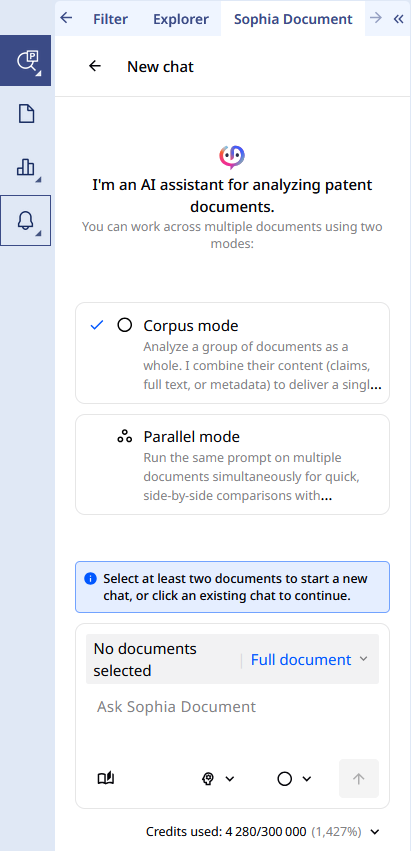
The Corpus mode will consider the entire dataset of families as 1, and provide one single answer for each question. Of course, the references supporting the answers will be given (Patent number, paragraph or claim number). One question, one answer.
The Parallel mode runs the same prompt across the different selected patent families, providing side-by-side comparisons, and creating a chat history for each family. This allows you to continue the chat with one family in particular, or even later if you find out this family again. One question, X answers (where X is your families).
You cannot switch the mode after the discussion has started.
To finish, select the patent families from your hitlist as you normally do. Note: Select All and Range are disable, only the current page could be selected—not the entire list. After selecting results on the current page, move to the next page and continue your selection
We would like to draw your attention onto the Context window, as displayed with the little circle from the Input box:
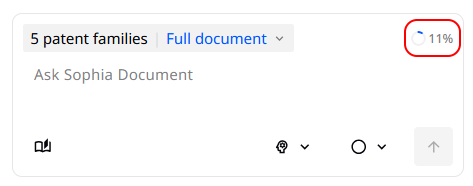 Each selected family will impact this percentage, and you cannot run any prompt if above 100%. By using the Full Document content, this context windows could be quickly full when patents fulltext is 300 pages for instance.
Claims only option or Metadata should be a preferred solution for very large families selections, by using the related button.
Special considerations and features in Multi-documents
Reopen an existing chat and related context
If you re-open a past chat from the Sophia Document home page, you can continue a discussion where it was stopped. Your new questions/prompt will be executed by using the current content of selected families.
By default, the families behind the discussion are not loaded into the hitlist. To access again these families, please use the button "Context" at the top right of the tab
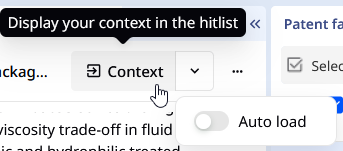
As you can see, an option "Auto-load" will automatically load and display patent families within hitlist, once you have opened a past discussion.
Manage past chats
Past chats are stored by most recent on the top. You can Rename each or delete them with the "3 dots" buttons on the right such as
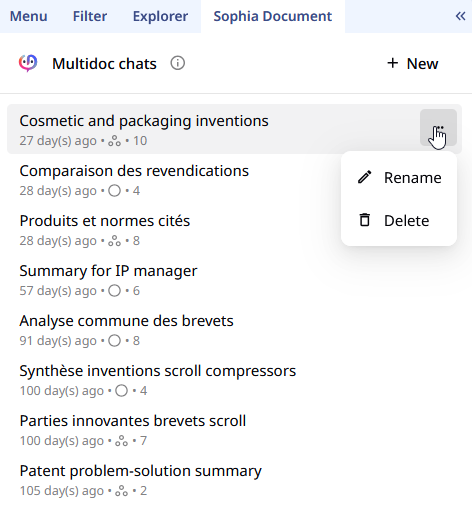
Under each chat title, you can find the last modification date, and the mode (Corpus or Parallel) and the number of patent families included in this chat.
Parallel mode and individual chat history
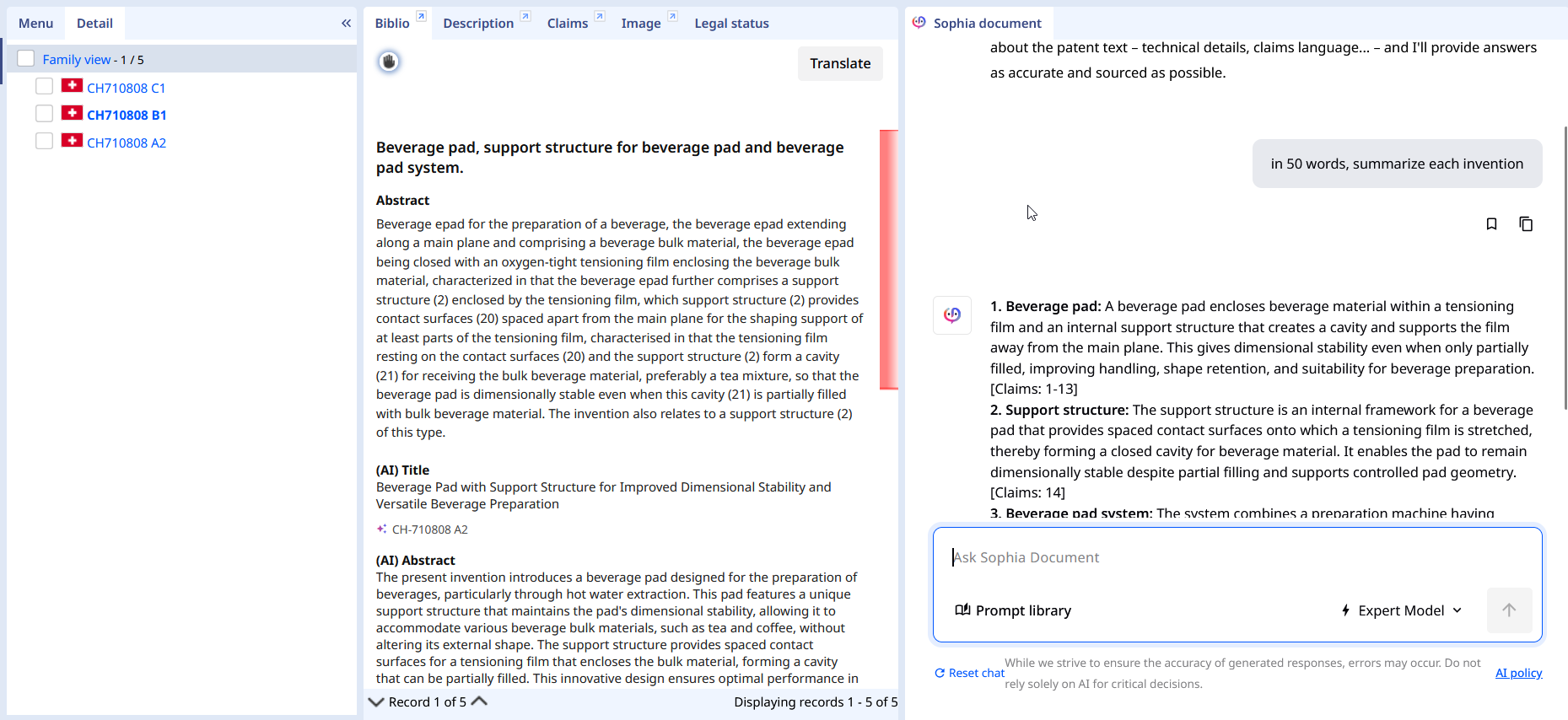
When you run a chat in Parallel mode, each prompt opens a separate conversation for each patent family. If the same family appears in another hitlist from a different search, a small Sophia icon next to the publication number indicates that a discussion is already open for that family. For instance :
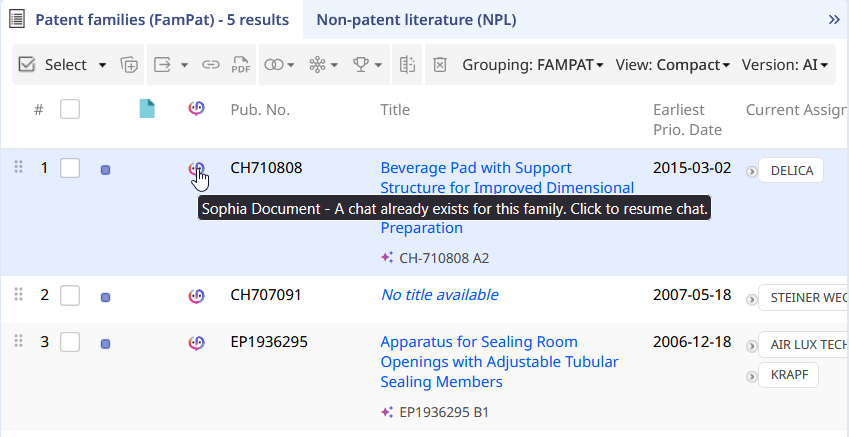
And clicking on this icon, Sophia Document is opening with all the past questions, even if coming from Multi-document chat
From the Metadata usage
In this setup, Metadata is limited to the key bibliographic elements: the title (TI), application and publication dates (EAPD, EPD), assignee (PA), and patent number (PN), together with the discussion already completed.
A practical approach is to start with Claims or Full text when the analysis needs the patent content to drive the response. This is especially useful when you want to refine the answer through iteration, reformulation, or synthesis.
Using Metadata alone can significantly reduce both cost and latency, and combining Metadata with the Fast model after several exchanges can help you reach the expected content and format without consuming too many credits.
Was this article helpful?
That’s Great!
Thank you for your feedback
Sorry! We couldn't be helpful
Thank you for your feedback
Feedback sent
We appreciate your effort and will try to fix the article