TABLE OF CONTENTS
- Introducing AI-fields in FAMPAT
- How is generated this content and when?
- Searching and display AI-fields
Introducing AI-fields in FAMPAT
Patent titles often provide limited useful information for your search. For example, a title like "Novel Compound" is common in chemistry patents but doesn't indicate the actual invention content. This can make reviewing hitlist cumbersome and time-consuming.
AI-generated content help address this gap by providing clearer, more descriptive title, abstract, object of invention and advantages. They allow you to identify relevant patents faster during review.
Similarly, relying solely on title and abstract searches may not always return the results you need. Precomputing enhanced text serves several purposes beyond search efficiency, including generating better embeddings for semantic retrieval.
How and when is this content generated?
These AI fields are computed across 80 million patent families, using one representative publication stage for each family. To ensure optimal quality, we select the best publication for processing based on the following criteria:
- Completeness — preference for publications that include a fulltext, in English
- Language — preference for originally English-language publications
- Status — preference for granted patents
Title, Abstract, Object of invention and Advantages are generated using the whole text from the selected publication stage. This goes beyond a simple re-writing of actual content.
Note: The selected publication may differ from the one set in your personal document preferences.
Currently (July 2026) the AI-Fields may be computed up to 1 month after the creation of a patent family. We are working to reduce this time delay.
Searching and display AI-fields
Searching options
As the data is now included for all users into FAMPAT, you can include the related 4 search fields into your searches. These fields are
/AITI
/AIAB
/AIOBJ
/AIADB
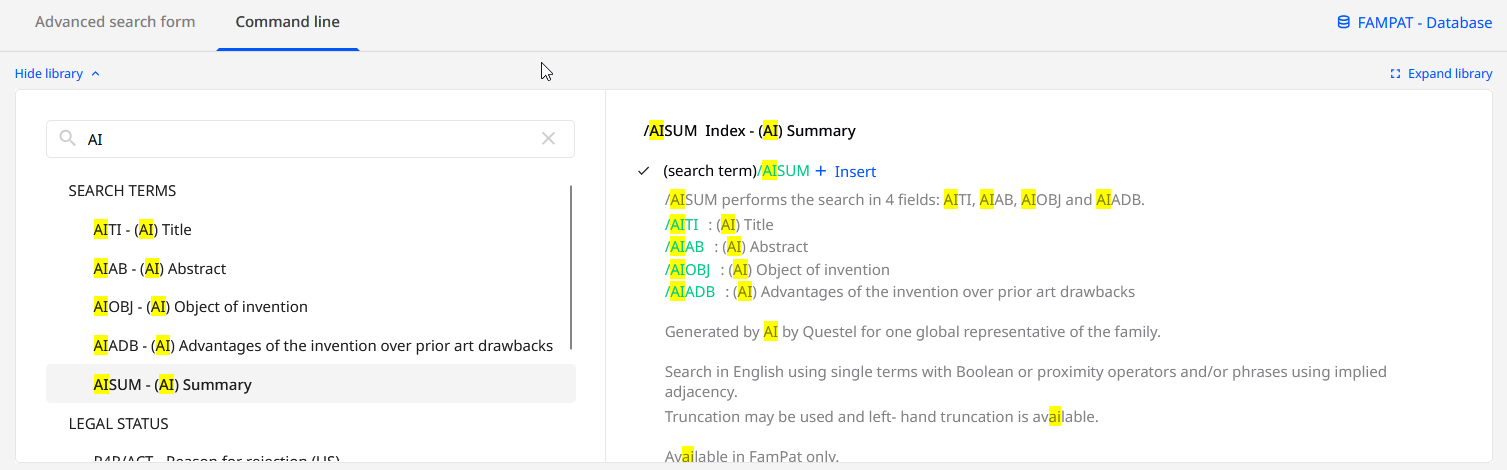
To make it more convenient during your script maintenance/improvement, we also have created an index that regroups all these 4 fields under the name /AISUM
Our Advanced Search form now offers to add these fields as any other fields from the Keyword search box, please use the "gear" icon such as
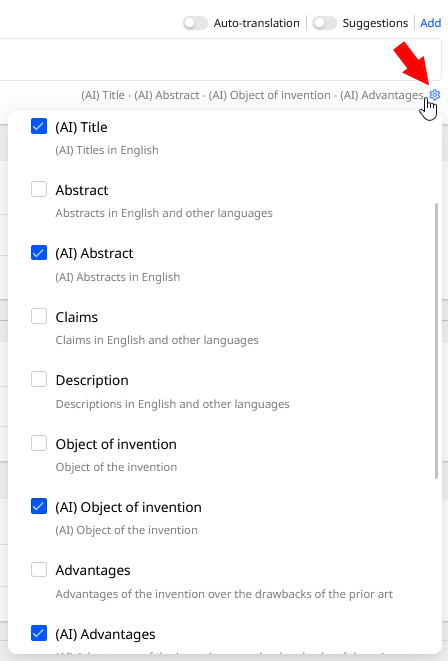
For more details and examples about these fields, please open the Command Line Editor and search "AI" such as:
Display AI fields in Orbit Intelligence
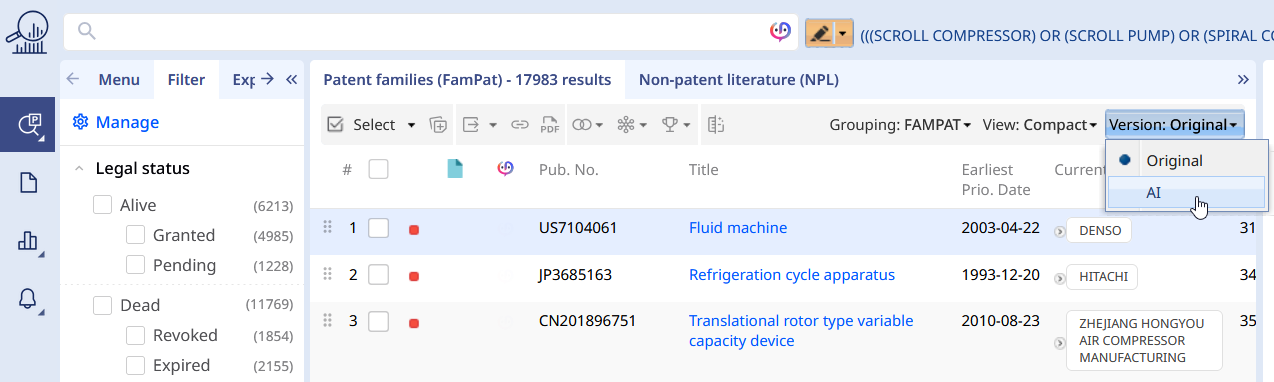
Once on the hitlist with Patent Families, you will locate the menu Version at the top right
According to your current hitlist layout (here default - compact) , the title and abstract will change to display AI content, as indicated by the little "stars" and patent number source
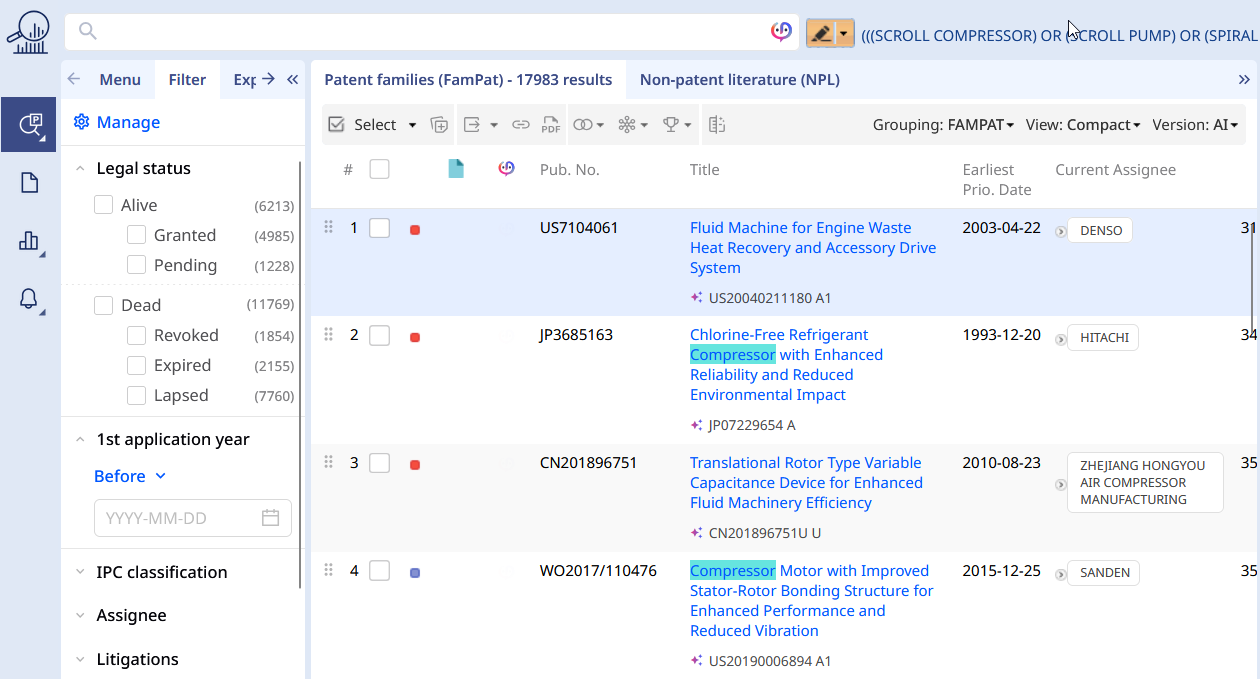
The first result title is now more meaningful compared with "Fluid machine", and the second result title now precisely indicated a "Chlorine-free Refrigerant [...]".
Within the Preview tab, Title and Abstract could be replaced by AI-generated or displayed together (according to your Preview customisation done beforehand). Here a suggestion with AI-Title only: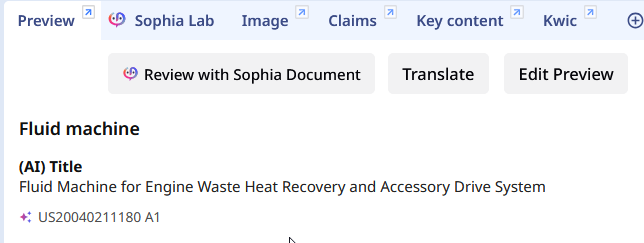
However for the abstract, original and AI-generated are present
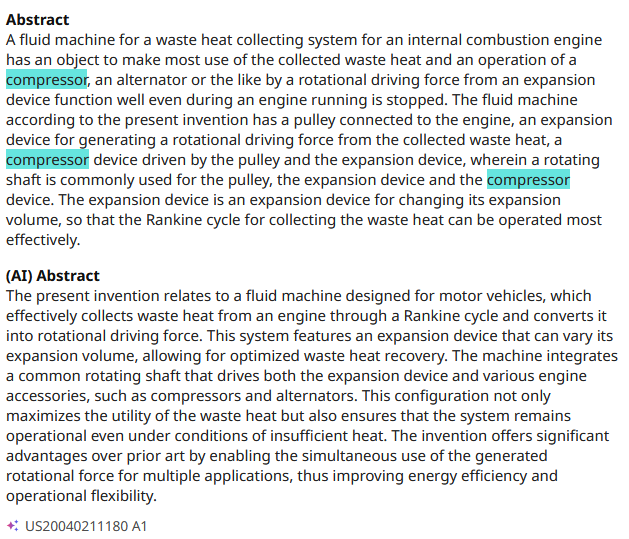
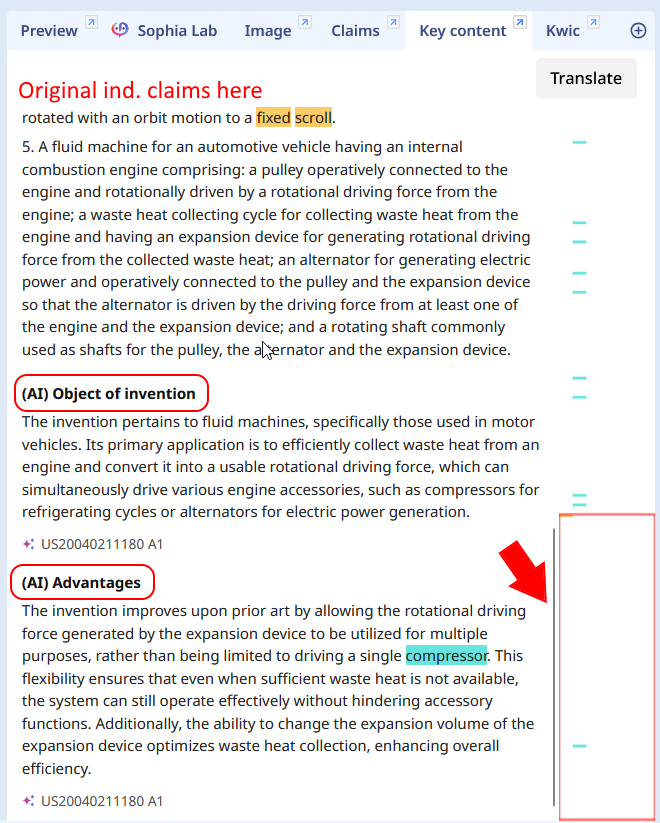
You will also figure out new Object of Invention and Advantages , AI-generated, at the bottom of the Key Content tab such as
Was this article helpful?
That’s Great!
Thank you for your feedback
Sorry! We couldn't be helpful
Thank you for your feedback
Feedback sent
We appreciate your effort and will try to fix the article