Introduction and context
Orbit Intelligence has long provided direct access to original PDF documents for nearly every publication type, leveraging a robust ordering system that connects with more than 20 providers.
More than two decades of incremental development have led to the PDF‑download functionality being distributed across three separate interfaces within the platform
To streamline and improve this workflow, we have consolidated the PDF download feature into the Search module— the default home module and interface for 99% of our users.
If you regularly download original PDFs, this brief guide will highlight the new process and help you transition smoothly.
Download, from the Hitlist page to the Search Module
The first step is now to open the Search module (home page for most of users). You can check where you are, from the left-hand module bar.
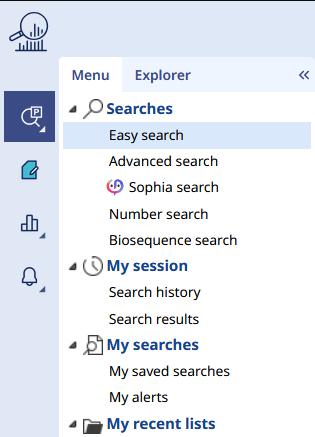
From this module, you can run all available search types. In this example, we will perform a number search for illustration purposes.
Once you reach the hitlist page, you may select up to 200 results—whether families, applications, or publication stages, depending on your collection. Then, click the PDF icon located in the toolbar at the top of the hitlist
A small window will then appear, allowing you to configure your export as needed.
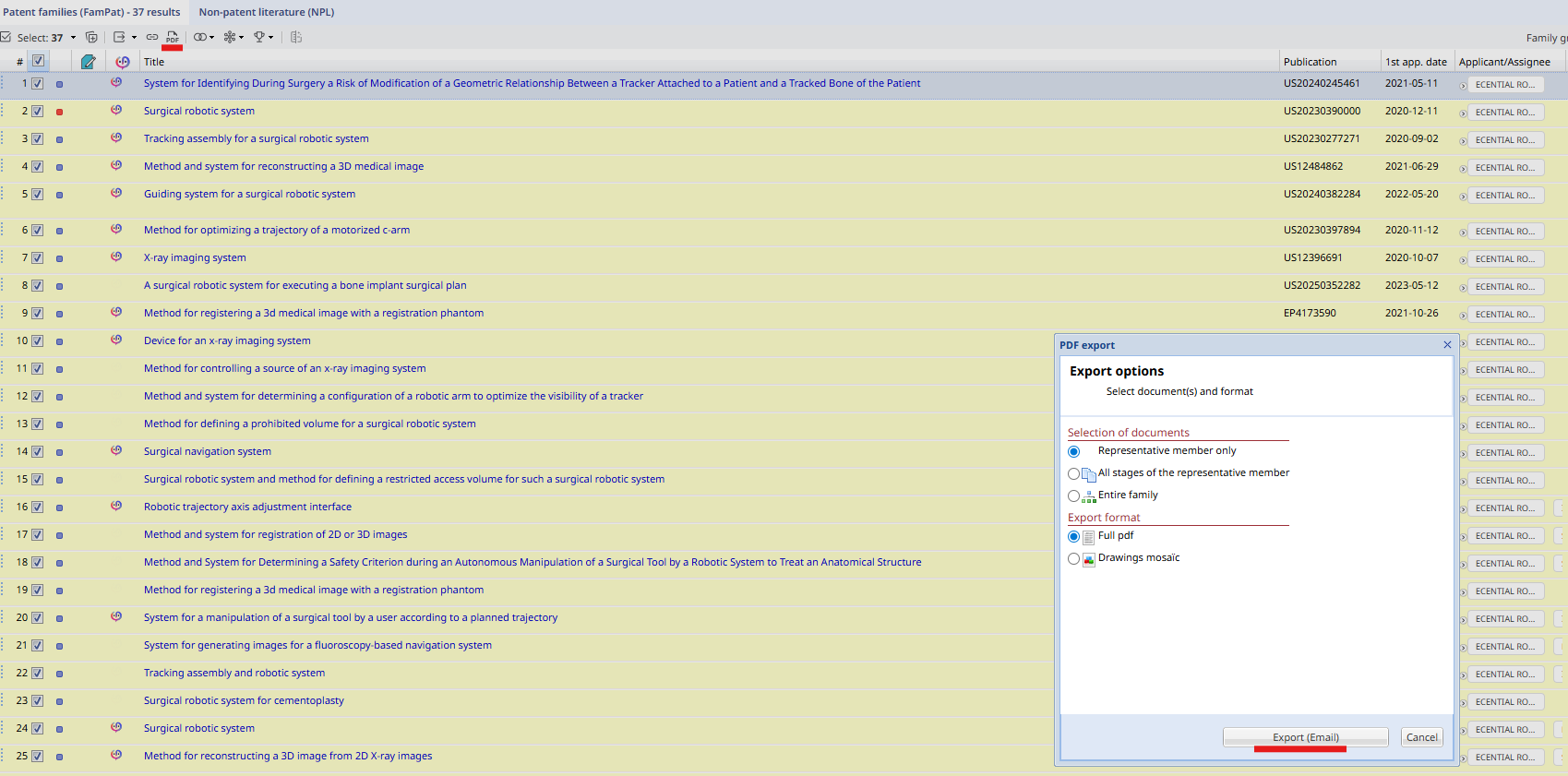
You can decide to download the representative member only (see our dedicated article), all the stages of this representative, or the entire family members.
Note: This export is handled as an order. The request is sent to our providers, and Orbit retrieves all available PDFs from the various sources. Therefore, we cannot guarantee 100% availability of PDFs.
Two options for the PDFs are now available: Full (complete) or just the Drawings mosaic (all drawings only).
Email delivery
The export is processed in the background, and is delivered by email. A notification appears in the bottom‑right corner of your window displaying the estimated processing time.
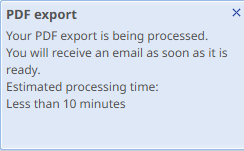
Once the request has been processed (approximately 10 minutes), you will receive an email containing the results as mentioned above.
Example:
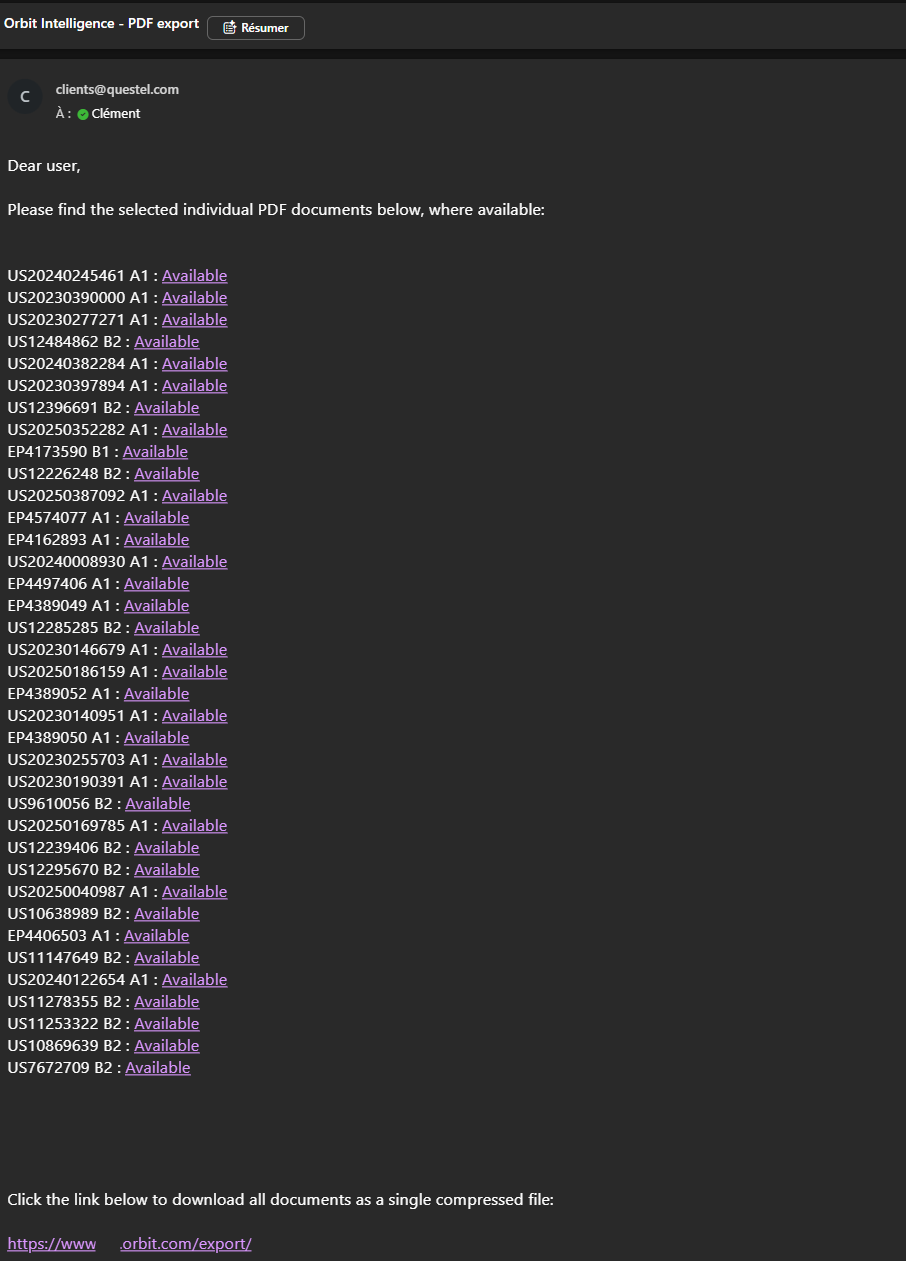
Each document in the list includes a permanent link (permalink). You can open this link directly without signing in to an Orbit Intelligence account, making it easy to consult or share the file.
At the bottom of the email, you will also find another permalink to download an archive in a .ZIP format containing the entire list of the PDF files.
Was this article helpful?
That’s Great!
Thank you for your feedback
Sorry! We couldn't be helpful
Thank you for your feedback
Feedback sent
We appreciate your effort and will try to fix the article